
Paste the time-temperature record of your cycle — up to 60 points and up to four probes — and the tool computes the thermal lethality the standard way: the lethal rate at every point, the accumulated F0 (moist-heat) or FH (dry-heat) by trapezoidal integration, and the split of the lethality over heat-up, holding and cool-down.
USD 39 one-time purchase
What it does
Lethal rate at each point
L(T) = 10^((T − T_ref)/z), with the reference temperature and z-value you set (F0: 121.1 °C and z = 10 °C by default; FH: 250 °C and your own z-value).
Accumulated F0 or FH
Accumulated F0 or FH by the trapezoidal rule between your measured points — no interpolation, no circular references, no macros.
F0 during heat-up, holding
F0 during heat-up, holding and cool-down, with the holding phase found automatically from a band below the peak temperature.
Log reduction and surviving
Log reduction and surviving number from a D-value and the initial bioburden, and the sterility assurance level (SAL) as log10 of the survivors (the usual target is 10^−6).
Equivalent holding time at
Equivalent holding time at any other temperature, and the extra holding time at the peak needed to reach a target F0.
Cold-spot comparison of up
Cold-spot comparison of up to four probes: the accumulated F of each, with the lowest flagged as the governing cold spot and a warning if it is not Probe 1.
Built for engineers
- Visible formulas — nothing hidden, so you can check every step.
- Fully referenced — methods from the standard references, with the book, edition and page named in the Guide tab.
- Safe to share — sheets are protected against accidental edits, with an open password so you can still customise.
- Built-in input checks — clear warnings for impossible inputs and values outside typical ranges.
For engineering estimates; verify against site data. Code-based methods are aligned with the publicly documented procedure; they are not a licensed reproduction or a certification.
Preview the workbook
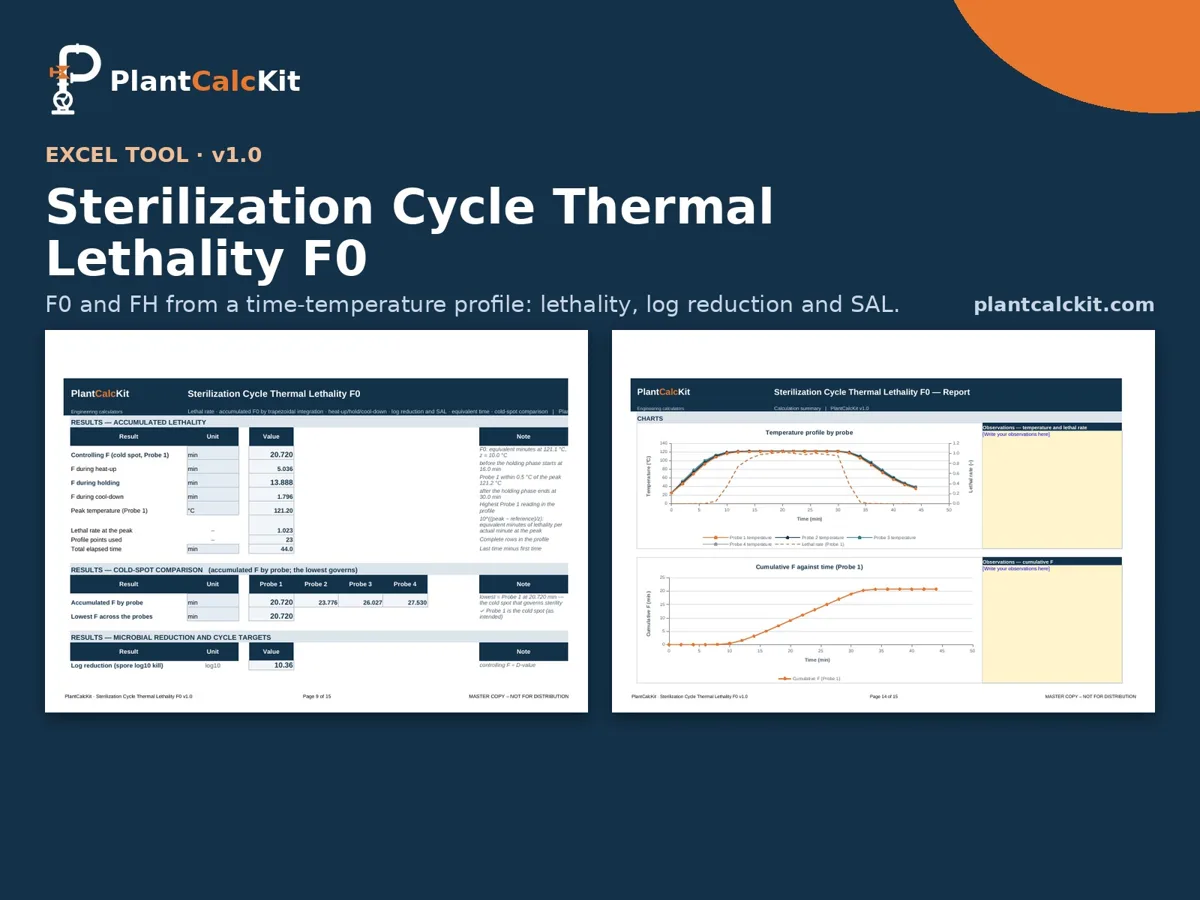
An illustration of the sheet layout of this workbook, not a screenshot of calculated results. Select the image to enlarge it. For questions before you buy, email [email protected].
Specification and checks
| Format | Excel workbook (.xlsx), no macros |
| Version | v1.0 |
| Works in | Excel 2010 or later, Windows and Mac |
| Units | SI, US and British, mixed freely |
| Includes | Guide tab with method and references, calculator, print-ready report |
| Checked against | Checked against an independent Python model (plain arithmetic, the same trapezoidal integral) in 70 recalculated runs: the default case, 24 selector-and-option combinations, SI, US, British and industry units, result-unit switching and valid, edge and invalid cases; about 1,700 values compared, 0 formula errors in LibreOffice, SI/US/British results identical to 1e-13. |
| Free version | Browse the free calculators |
Compatibility, licence and support
| File | Excel workbook (.xlsx), no macros, version v1.0; works in Excel 2010 or later on Windows and Mac. Sheets are protected against accidental edits, with an open password so you can customise. |
| Licence | Single user. A team licence (up to 5 named users) is 3 × the shop price; site licences on request — licence terms. |
| Updates | Updates to this major version are included; download them again from the link in your receipt. |
| Support | Email [email protected] with your order number — questions on the method, your inputs or your results are welcome. |
| Refunds | If the tool does not work as described, or has an error we cannot fix, email [email protected] with your order number within 14 days of purchase and we will refund you in full. Refunds are not offered for a change of mind once a file has been downloaded. Read the full refund policy. |