
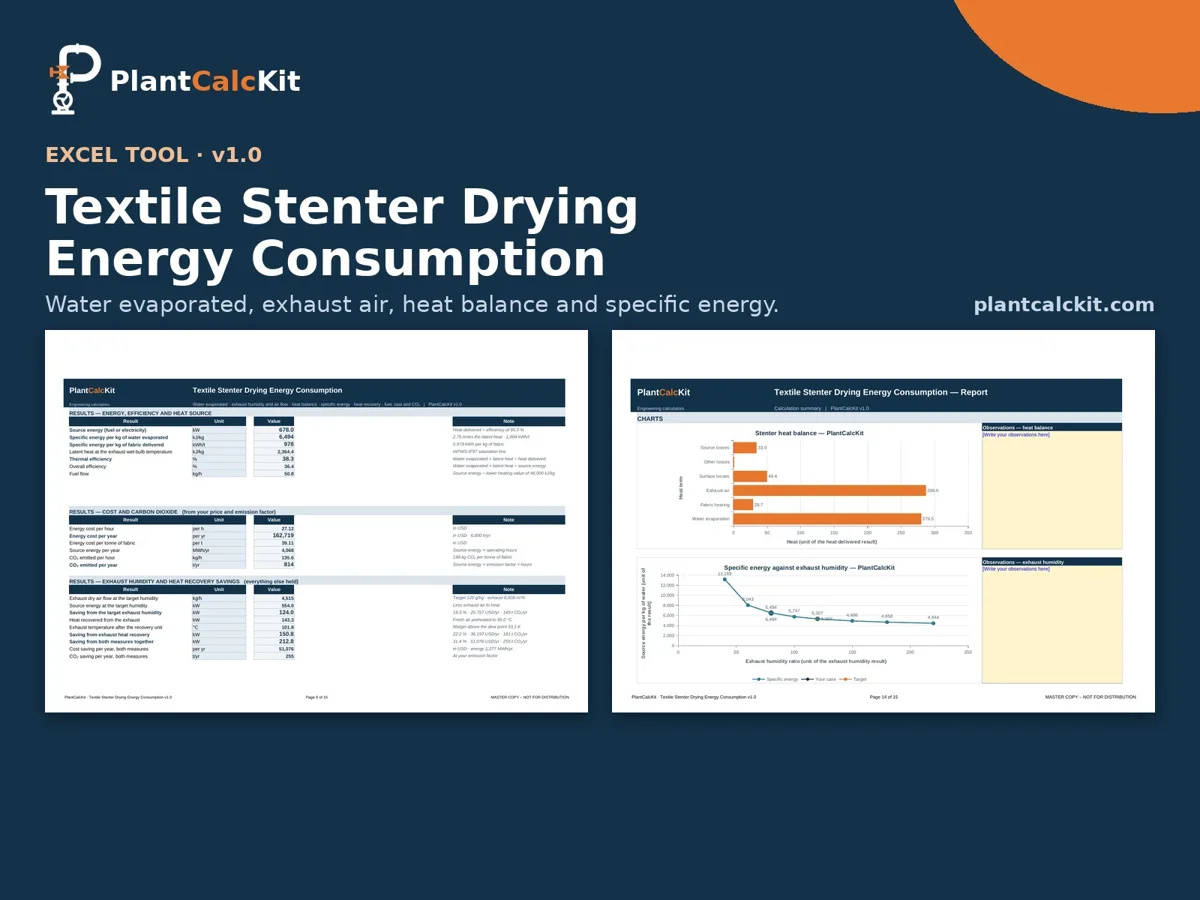
Put a number on the energy use of a textile stenter (tenter frame) from the water balance, the humidity balance and the heat balance. Enter the fabric speed, width and areal weight, the moisture in and out, the fresh and exhaust air conditions and the heat source, and the tool returns the water evaporated, the exhaust air flow and humidity, the heat delivered split into evaporation, fabric heating, exhaust air and surface losses, the source energy, the specific energy per kg of water and per kg of fabric, and the fuel, cost and carbon dioxide — then shows what a drier exhaust and exhaust heat recovery would save.
USD 39 one-time purchase
What it does
Water balance
dry fabric rate from speed, width and areal weight; water evaporated from the inlet and outlet moisture (on dry fabric).
Heat balance
evaporation, fabric heating, heat carried out with the exhaust air, chamber surface losses and any other loss you enter, with a closure check against the air enthalpies.
Heat source
direct gas burner (its combustion water is added to the exhaust), thermal oil, steam or electric heaters, with your own efficiency.
Source energy, thermal and
Source energy, thermal and overall efficiency, specific energy per kg of water (kJ/kg and kWh/t) and per kg of fabric, fuel, thermal oil or steam flow.
Cost and carbon dioxide
Cost and carbon dioxide per hour, per year and per tonne of fabric from your energy price and emission factor.
Savings
the effect of running the exhaust at a drier target humidity, of exhaust-to-fresh-air heat recovery, and of both together — in kW, cost per year and tonnes of CO₂ per year.
Built for engineers
- Visible formulas — nothing hidden, so you can check every step.
- Fully referenced — methods from the standard references, with the book, edition and page named in the Guide tab.
- Safe to share — sheets are protected against accidental edits, with an open password so you can still customise.
- Built-in input checks — clear warnings for impossible inputs and values outside typical ranges.
For engineering estimates; verify against site data. Code-based methods are aligned with the publicly documented procedure; they are not a licensed reproduction or a certification.
Preview the workbook
An illustration of the sheet layout of this workbook, not a screenshot of calculated results. Select the image to enlarge it. For questions before you buy, email [email protected].
Specification and checks
| Format | Excel workbook (.xlsx), no macros |
| Version | v1.0 |
| Works in | Excel 2010 or later, Windows and Mac |
| Units | SI, US and British, mixed freely |
| Includes | Guide tab with method and references, calculator, print-ready report |
| Checked against | Checked against an independent Python model: the workbook was recalculated and compared with it across the default case, every selector combination, SI/US/British unit variants and many valid and blocked cases (blank, zero, negative, text and impossible inputs give a clear message and blank results, never an error value). |
| Free version | Browse the free calculators |
Compatibility, licence and support
| File | Excel workbook (.xlsx), no macros, version v1.0; works in Excel 2010 or later on Windows and Mac. Sheets are protected against accidental edits, with an open password so you can customise. |
| Licence | Single user. A team licence (up to 5 named users) is 3 × the shop price; site licences on request — licence terms. |
| Updates | Updates to this major version are included; download them again from the link in your receipt. |
| Support | Email [email protected] with your order number — questions on the method, your inputs or your results are welcome. |
| Refunds | If the tool does not work as described, or has an error we cannot fix, email [email protected] with your order number within 14 days of purchase and we will refund you in full. Refunds are not offered for a change of mind once a file has been downloaded. Read the full refund policy. |